 This is Part 1 of the eSoup series about establishing healthy email habits and taming your rambunctious inbox.
It all starts here--Step 1 is zeroing out your inbox.
Once we get it zeroed out, the goal is to zero it out each day so it never gets to the point where it's a big hairy beast that you're scared to look at.
Keep in mind this is my own approach, and it works for me, but depending on what your job is you may have to tweak the strategy a bit to fit your needs.
The Triage Approach
Some of you are probably gasping at the thought of zeroing out your inbox every single working day.
"Zero it out every day? That's crazy talk!", you proclaim.
Ahh, it actually isn't, if you know the trick, and the trick is that you zero out your inbox by processing (decide on a "next action") your email, rather than replying to each and every one. More on this later, but first...
In order to get this tedious zeroing out job done, we need to implement the "Email Triage" approach.
I found the "triage"/email metaphor over at 43 Folders, and I love it:
"I think the roots of the term are indeed in medicine, where patients are dealt with based on one of three (hence, "tri") statuses: those who can survive with immediate help, those who can wait, and those who won't make it no matter what.
The fascinating thing to me about the metaphor is that the status of one patient is almost always necessarily based on the status of the others, and new additions re-jigger the equation. Just like in to-do lists."
We're going to take this "triage" approach with the overflowing inbox--1) some of the emails can survive with immediate help, 2) others can wait, and 3) others won't make it no matter what.
We have to ruthlessly accept these facts and process accordingly so that we can get in and out ASAP.
Let the triaging begin: The 7 Steps
1) Turn off the Auto-check feature on your email client.
The reason for this is that while we're in performing surgery on the inbox, we don't want any more patients running in demanding treatment. We'll get to those newbie emails soon, but right now we need to stop the influx so we can concentrate on the task at hand. (BTW--I think for most email clients such as Thunderbird, Eudora, and Outlook, that you would find the Auto-check feature by looking at "Tools" => "Options".)
2) Delete spam and junk mail--you can do this by sorting by subject or doing a search through the entire message.
Hopefully by searching for stuff like "viagra", "valium", "sex", etc, you'll bring up bunches of emails at a time that you can delete. (Thank God I don't have Adsense on my blog or I'd be scared to think what ads would come up based on this tip :).)
3) Sort the newsletters out and put in an "Archive" folder. Again, you can do this by sorting or searching.
4) Sort blog comments out and put in "Archive" folder.
5) Sort/search for emails from family and friends and file in "Archive" folder.
6) Anything that looks like it needs a response, transfer to a "Pending" folder.
7) Keep on sorting into "Pending" (stuff you need to reply to now), "Archive" (stuff you want to save, but don't need to look at right now), and "Trash".
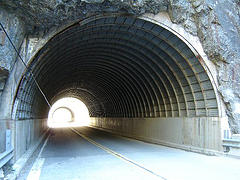
The light at the end of the tunnel
At this stage in the game, you are simply a sorting machine--don't respond to anything right now.
Remember, you're processing the emails, rather than replying to each one. You're trashing, archiving or putting in a pending folder.
Go for speed and don't get distracted by your sister's email with photos of her son's b-day party--just quickly put that one in "archive".
By the end of your mad sorting session, you will have a pristine, springtime fresh, zeroed out inbox.
You will also have a "Pending" folder that contains emails that can survive with immediate help, an "Archive" folder that contains emails that can wait, and a trash can full of emails that won't make it no matter what.
Whew--even though you haven't responded to any emails at this time, it sure does feel good when your inbox is completely clean!
"Pending" folder Blitzkrieg
With the inbox at zero, now you can start going through the "Pending" folder.
The goal is to get in the zone and process ASAP--think blitzkrieg. There's no time to dilly dally--you're in and you're out.
Some pointers:
- Try to make your responses as short as possible. This is not the time to wax poetic ;-).
- Processs the easiest emails first. If you run across an email that looks like it will take you more than 2 minutes to answer it, save it for the end.
- If you have emails that are on similar topics, try to do those in a bunch. This will help you get your momentum going
- As you process each email, transfer it to "Archive" if you'd like to save it, or "Trash" if you never need to lay eyes on it again.
- When you're done, you may still have emails sitting in your "Pending" folder that you're unable to process at the moment--this is fine, just as long as you've decided what the "next action" is for that email. Whether it's that you need more info from someone in order to proceed or that you need to delegate the answering of that email to someone else, then you're alright.
- Remember, you are a ninja. No emotion-- just process, process, process.
I know, this is not the way you wanted to spend your afternoon. Processing bunches of emails is no party, but I promise you, when your inbox is all shiny and clean and you notice that your "Pending" folder is getting smaller and smaller, your spirits will be raised, and a huge weight will be lifted off your shoulders.
For those in the "Gazillion + Club"
If you've got a gazillion or more emails sitting in your inbox, then I suggest you tackle the heaping pile in shifts. You might want to work for 20 minutes, then take a break, then come back. Have a care for your sanity and don't push yourself to get it done all in one sitting.
Be patient, take breaks, and take heart in knowing that when you finish your zeroing out that your email will be back under your control.
Coming Next Week...








Recent Comments