Have you ever wanted to remove some of the pre-installed programs that came with your computer?
Lots of times computers will come preloaded with games and anti-virus software that has a free trial period and various other things.
It is a relief to know that it's not a technical procedure to get rid of it--it's actually pretty simple.
1 - Go to Start on your computer (in the lower left hand corner)
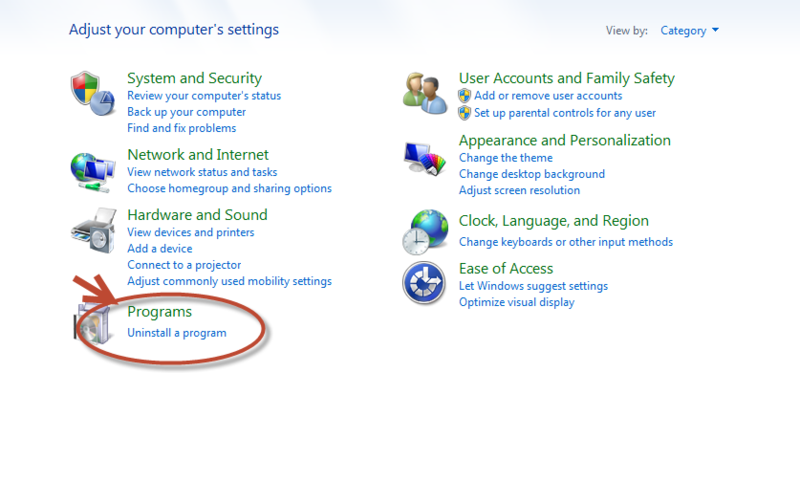
2 - Then go to Control Panel.
3 - Go to Programs-uninstall a program.
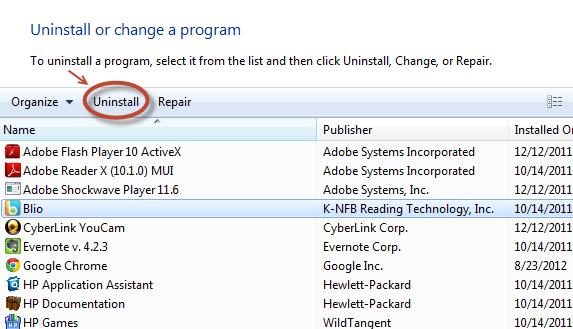
4 - Then, it takes you to a page that lists the programs on your computer. Simply find the one you want to remove, and click the "uninstall" button.
How easy is that?





Comments